Instagram DM Automation for Gyms: Handling Inquiries
A practical look at setting up Instagram DM automation for class schedules, free passes, and member questions without breaking Meta rules.
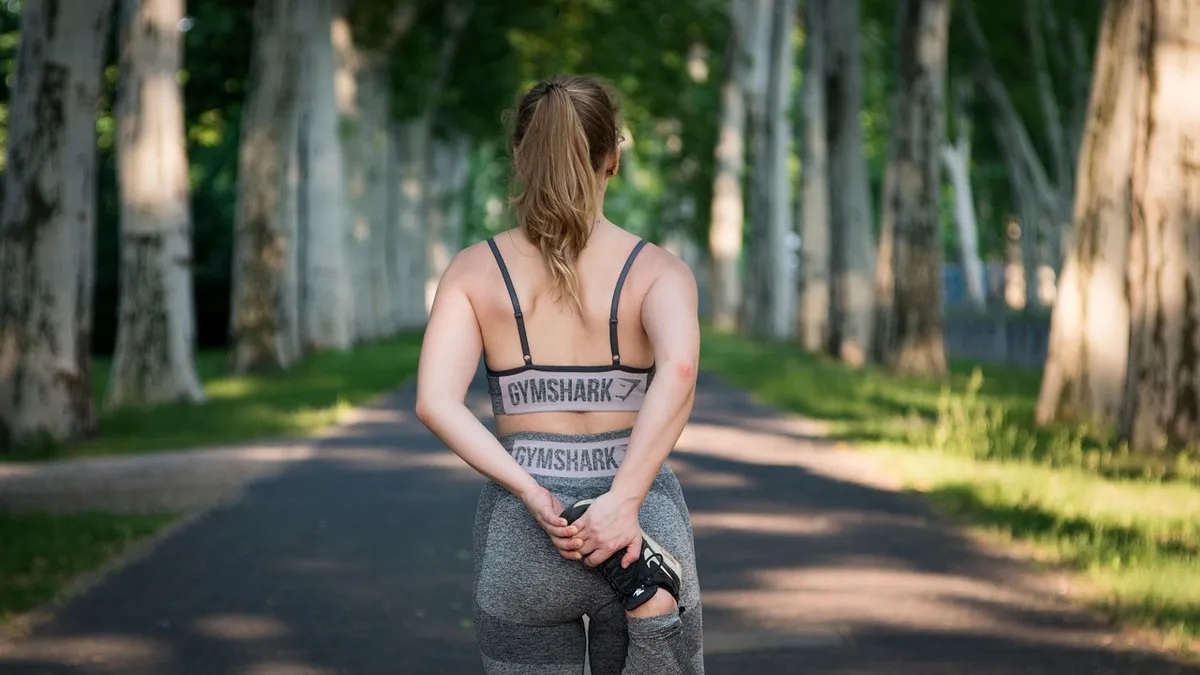
For gyms and fitness studios, direct messages often arrive right when coaches are teaching on the floor or front desk staff are checking in class attendees. A prospective member sees a short video of a morning conditioning workout, taps the profile, and asks for membership rates or class times. If that question sits without an answer for five hours, that person often moves on to another facility down the street.
Automated direct messaging allows you to provide immediate, helpful answers without keeping a trainer glued to a screen. By using official messaging tools, you can answer routine logistical questions, distribute pass links, and capture training goals while remaining focused on the members in your building.
Instant Delivery for Trial Passes and Class Timetables
Most inbound questions on your profile center on two things: what classes you run and how someone can try a workout. When you publish a post highlighting a Saturday strength session or a seasonal challenge, telling viewers to comment a specific keyword creates an immediate path to sign up.
Meta allows professional accounts to send a private reply when someone leaves a comment on a regular post, reel, or ad. Under Meta's private reply rules, your account can send exactly one direct message to that commenter within 7 days of their comment. That private message includes a direct reference back to the original post, providing clear context. For example, if a user comments "PASS" on your workout clip, an automation tool can reply publicly to acknowledge the comment and simultaneously send a private message with a link to book a trial session.
Setting up these triggers requires care. Overusing identical public replies or blasting generic links can cause friction, as outlined in our guide on Instagram Comment-to-DM Automation: 6 Critical Mistakes. To see how automated comment triggers fit into a broader direct messaging setup, explore Instagram automation for local businesses.
Managing Story Replies About Daily Workout Schedules
Daily stories are where local training facilities share daily routines, open turf hours, and weather-related schedule changes. They are also one of the highest-friction areas for manual message management. When you post a story showing that the evening mobility class has three open spots, viewers often tap reply with quick questions like "can I drop in?" or "what time?"
Story reply automations allow you to respond to these interactions immediately. You can configure a rule for a specific story or monitor all stories for keywords like "drop in" or "schedule." When a follower replies to your story about open spots, the automated flow can immediately deliver your drop-in registration page, daily waiver link, and check-in instructions. This keeps class capacities filled without requiring administrative staff to copy and paste website links throughout the afternoon.
Qualifying Training Leads with Structured Message Steps
Not every visitor is looking for a basic drop-in pass. High-ticket personal training, small group coaching, and specialty programs require consultation before pricing can be discussed. Sending a raw price list in a direct message rarely serves the prospect, because pricing depends on their specific goals, injury history, and schedule availability.
Instead of sending a static reply, you can build a guided keyword sequence. When a prospect messages "TRAINING," your system can ask three simple screening questions:
- What is your primary fitness goal right now (for example, strength, weight loss, or athletic conditioning)?
- Have you worked with a personal coach in the past year?
- Do you prefer morning, midday, or evening sessions?
By chaining steps together through a dedicated DM keyword and AI bot, each prospect answer is recorded, their profile is tagged with their preferences, and they move to the consultation pipeline. When your head coach sits down between training blocks, they can review qualified notes rather than asking repetitive intake questions from scratch.
Answering Membership Policies with Document-Based Replies
Front desks spend considerable time typing out repetitive answers to standard policy questions: guest pass allowances, locker room amenities, child watch hours, and parking rules. When members or drop-in visitors cannot find these answers quickly, they send a direct message.
Artificial intelligence tools can read verified business documents, including your membership handbook, pricing tiers, and operating hours, to answer open-ended questions accurately. If a local resident asks whether your facility has showers and towel service before work, the system pulls the answer directly from your uploaded amenities sheet. You can read more about setting up these resources in our article on AI Replies to Customer Messages for Gyms and Fitness Studios. With software like Arolead, this data stays grounded in your approved documentation, ensuring accurate information is sent every time.
When Front Desk Staff Must Step In
Automation is designed for routine logistics, not sensitive personal or financial interactions. There are clear situations where automated responses must stop and a human staff member must manage the conversation directly:
- Billing disputes and membership cancellations: Automated replies to cancellation requests frustrate members. These conversations require empathy and clear administrative processing.
- Injury and health disclosures: If an athlete writes in to explain a recent surgery, back injury, or medical concern, an automated message about class intensity is inappropriate.
- Member complaints: Unhappy feedback regarding facility cleanliness, equipment maintenance, or coach behavior should route immediately to an owner or manager.
Meta platform policies strictly require all automated messaging systems to maintain an escalation path to a human agent. In Arolead, team members work out of a unified inbox where any manual reply from staff automatically pauses the automated assistant for that conversation thread. This ensures coaches and front desk managers can handle delicate conversations without an automated flow interrupting them.
Operating Within Meta Rules and Rate Limits
Running automated communication on your profile requires adherence to official Meta architecture. Third-party scrapers that ask for your password risk account suspension, whereas official tools connect through the Meta API.
Keep these core platform rules in mind:
- The 24-hour messaging window: When a user initiates a conversation or sends a message, your account has a standard 24-hour window to respond. Outside this window, promotional messages cannot be sent.
- Private reply constraints: You can send only one automated private reply per comment, and it must occur within 7 days of the comment. The commenter must reply to your direct message before a continuous two-way conversation can proceed.
- Private reply rate limits: Under official rules, professional accounts have an API limit of 750 private replies per hour for comments on posts and reels. While standard accounts rarely reach this volume, it is vital to know this threshold during viral posts or seasonal sales.
- Account requirements: Meta requires an Instagram Professional account (Business or Creator) connected to a verified Facebook Page to access the messaging API. Personal accounts cannot run automated messaging.
For a complete review of compliant timing and account requirements, consult Meta's messaging rules before launching your first campaign.
Frequently asked questions
- Can I automatically send a class pass link when someone comments on a Reel?
- Yes. Meta allows your account to send one private reply to a comment within 7 days, which can contain your pass registration link.
- Does setting up DM automation require sharing my account password?
- No. Compliant automation platforms use the official Meta Graph API through Facebook Login, meaning you never share your account password.
- What happens when an existing member sends a billing complaint in DMs?
- The automation can detect issue keywords or let the member request a person, immediately routing the thread to staff and pausing the bot.
- Can an automated reply message people after the 24-hour window closes?
- No. Under standard Meta rules, businesses can only send ordinary messages within 24 hours of the customer's last incoming message.
References
Related articles
AI Replies to Customer Messages: Salon and Spa Service DMs
Automate routine inquiries about treatments, pricing, and prep instructions so service providers can focus on clients in the chair without missing new appointment requests.
Arolead Team
November 13, 2026
AI Replies to Customer Messages for Gyms and Fitness Studios
A practical guide for fitness business owners on using AI to handle membership pricing, class schedules, and guest passes across social messaging channels.
Arolead Team
November 1, 2026

Story Reply Automation for Real Estate Agents: Tour DMs
Learn how story reply automation helps real estate professionals qualify prospective buyers, deliver listing sheets, and book property viewings straight from Instagram.
Arolead Team
November 3, 2026