Story Reply Automation for Salons and Spas: Managing DMs
Discover how story reply automation helps appointment-based beauty businesses fill cancellation gaps, answer service questions instantly, and route consultations to front desk staff.
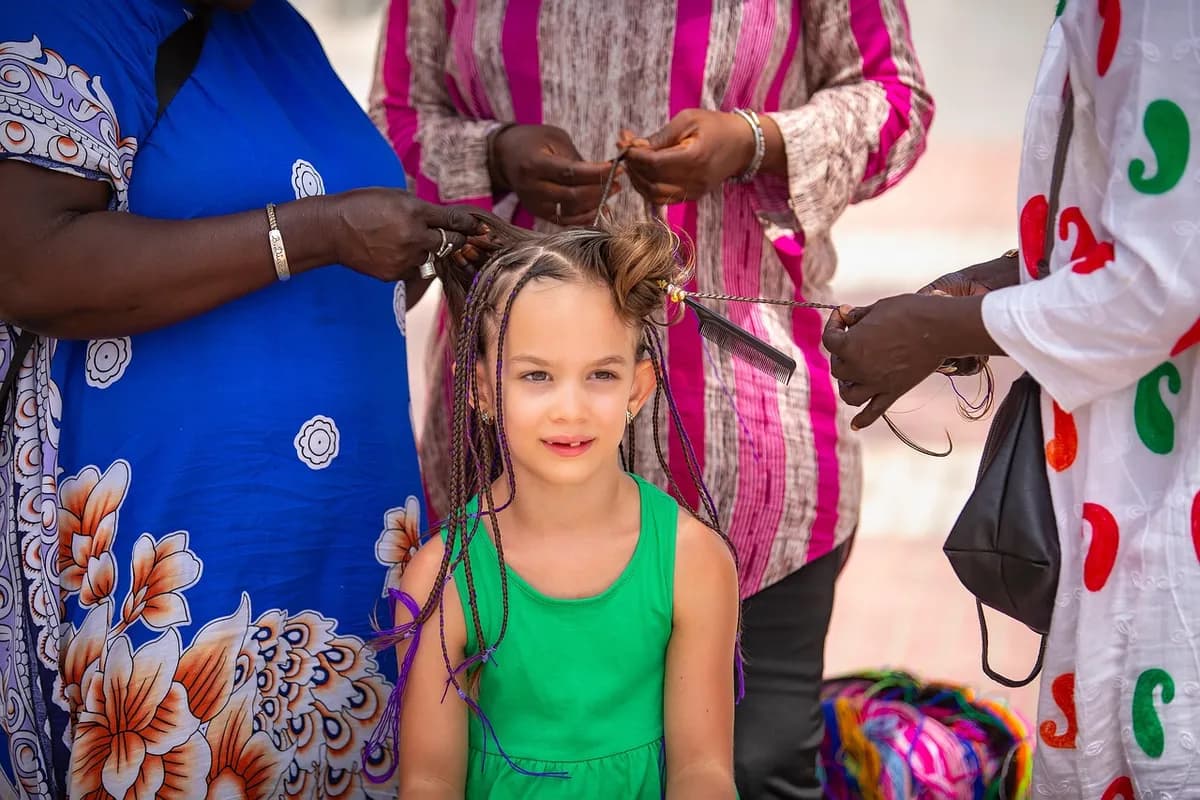
Publishing daily stories showing fresh haircuts, nail art, and skin treatments is standard practice for modern beauty businesses. Followers watch those stories, see an open appointment slot or a finished balayage, and tap reply to ask about availability or pricing. When stylists and estheticians are actively working with clients, those direct messages sit unanswered for hours.
By the time an appointment finishes and staff check the inbox, the prospective client has often reached out to another local business. Implementing story reply automation for salons and spas bridges that gap. It lets you acknowledge inquiries instantly, share booking links, and gather consultation details without pulling treatment staff away from their chairs.
How Story Reply Triggers Function on Instagram
When a client replies to an active Instagram story, that reply arrives as an inbound direct message. Under Meta's architecture, this incoming message opens a standard 24-hour messaging window. During this window, your business account can send standard automated responses to guide the conversation.
Software built on the official Meta API, such as Arolead, detects these incoming story replies and triggers predetermined workflows. You can configure automation in two distinct ways:
- Story-specific triggers: The software monitors replies to one individual story post, such as a flash opening for Thursday afternoon, and delivers a targeted response only to people responding to that slide.
- Keyword triggers across all stories: The system scans any story reply for target words like "book", "price", or "consult" and sends the relevant answer automatically.
Because this runs through official API protocols rather than browser extensions or password-sharing tools, your account remains secure and fully compliant with platform terms.
Filling Last-Minute Chair Openings and Cancellation Slots
Late cancellations leave expensive gaps in a service provider's schedule. A common tactic is posting a quick story announcement, such as "Last-minute opening at 3 PM today with Sarah for a cut and color." Without automation, the front desk must juggle five simultaneous DMs asking if the slot is still open.
With structured Instagram automation, you can prompt viewers to reply with a specific keyword like "OPEN". The system immediately sends a direct message with a direct link to your booking software's real-time checkout for that exact hour.
To prevent double-booking, the automated message can explain that the appointment is granted on a first-to-confirm basis. Once the opening is claimed, staff can remove the story slide or update the workflow to let subsequent inquiries know the chair is filled and offer an alternative waitlist link.
Answering Service Inquiries, Patch Tests, and Pricing
Potential clients frequently ask repetitive questions when viewing treatment photos. They want to know base prices, whether a service includes a blow-dry, or how far in advance they must schedule a skin patch test before a chemical peel.
Automated workflows allow you to answer these basic inquiries instantly using two different methods:
- Keyword-based sequences: If an inquiry contains words like "cost" or "menu", the bot delivers a link to your full transparent price list along with a brief explanation of how service tiers work based on provider experience.
- AI-driven responses: Advanced setups allow an AI assistant to read directly from uploaded policy documents, service descriptions, and prep guidelines. When someone asks if they can get lash extensions while wearing contacts, the system pulls the exact policy from your clinic guide and replies accurately.
By answering routine questions in the first sixty seconds, you keep clients engaged while they are excited about booking.
Organizing New Inquiries into a Clear Client Pipeline
Direct messages inside the native Instagram application easily get buried under reactions, emoji replies, and generic spam. This disorganization makes it difficult to track which prospective clients received a booking link and who still needs a manual follow-up.
Structured software assigns tags to incoming inquiries based on the story they replied to. For example, someone asking about bridal hair can automatically receive a "Bridal Inquiry" tag and move into an introductory stage in your communication pipeline. When studying how different industries structure their entry points, examining workflows like Story Reply Automation for Real Estate Agents: Tour DMs shows how qualifying questions can capture essential details before staff step in.
Platforms like Arolead pull every message into a unified inbox that connects Instagram, Facebook, and WhatsApp. Your reception team can review all active inquiries in a single window, seeing exactly what automated messages were sent and which clients have pending questions about upcoming appointments.
When to Pause the Bot and Escalate to Reception Staff
Automation is designed to deliver information and handle standard routing, not to diagnose complex beauty treatments or resolve complaints. Clear boundaries protect your brand reputation and ensure sensitive conversations receive human empathy.
Automated sequences must immediately hand off the conversation to human staff in scenarios such as:
- Adverse reactions or safety issues: Any mention of chemical burning, allergic irritation, or unexpected swelling requires immediate human attention and policy-driven care.
- Disputed charges and refunds: Financial disagreements or unhappy clients demanding a redo should never receive automated template answers.
- Complex color corrections: Transformations requiring multiple sessions, box-dye removals, or severe damage assessments need photos reviewed by an experienced stylist rather than a bot.
Under Meta's messaging rules, platforms utilizing the Instagram Messaging API must provide an escalation path to a human agent. When a team member types a manual reply inside the unified inbox, automated bots should pause automatically for that contact, allowing personal conversation without bot interruptions.
Setup Rules to Protect Account Standing on Meta
To keep your business profile healthy and avoid message restrictions, your automated setup must follow platform standards. Reviewing Instagram Story Reply Automation: 5 Mistakes to Avoid helps pinpoint configuration errors that trigger spam filters.
Keep these essential platform requirements in mind as you launch:
- Maintain account eligibility: Automation APIs only function on Instagram Professional accounts (Business or Creator). Personal profiles cannot connect to official messaging platforms.
- Respect the 24-hour limit: Standard automations and promotional follow-ups can only be delivered within 24 hours of the client's last message. Do not attempt to re-engage past this window without approved channels.
- Never share account passwords: Official Meta Tech Providers connect via secure Facebook Business login tokens. You should never provide your direct Instagram login credentials to any automation software.
- Keep message copy concise and helpful: Write natural, polite messages that sound like your front desk coordinator. Clearly state what step the client should take next, whether that is clicking a booking calendar or waiting for a stylist to review their photo.
Frequently asked questions
- Can an automated reply send my booking link when someone replies to a story?
- Yes. When a follower sends a message or reacts to an active story, an automated workflow can instantly send your scheduling link or service menu in direct messages.
- Does story reply automation work on personal Instagram accounts?
- No. Meta only permits automated messaging through its official API for Instagram Professional accounts, which include Business and Creator accounts.
- What happens if a client asks a question the automation cannot answer?
- Workflows can hand off the conversation to a human team member. Once staff respond in the unified inbox, automated triggers pause so the client receives personal attention.
- How long do I have to send automated responses to story replies?
- Under Meta's standard messaging window, your business account has 24 hours from the client's last message to respond using standard automation.
References
Related articles
Story Reply Automation for Real Estate Agents: Tour DMs
Learn how story reply automation helps real estate professionals qualify prospective buyers, deliver listing sheets, and book property viewings straight from Instagram.
Arolead Team
November 3, 2026
Instagram Story Reply Automation: 5 Mistakes to Avoid
Discover the biggest mistakes small businesses make with Instagram story reply automation, why they cost you qualified leads, and how to fix them.
Arolead Team
October 26, 2026

DM Automation for Coaches: Turn Post Comments into Leads
Discover how online coaches and creators use Instagram DM automation to deliver lead magnets, answer FAQs, and qualify coaching leads while staying compliant with Meta policies.
Arolead Team
October 29, 2026